 Snagline
Site visit report template (with a filled example)
A site visit report records what you saw on one visit and what has to happen next. Use these sections: project details, date and time, weather, attendees, purpose of the visit, progress observed, an issues and actions table with an owner and due date for each item, health and safety observations, photos, and the date of the next visit. A filled example and the column layout are below.
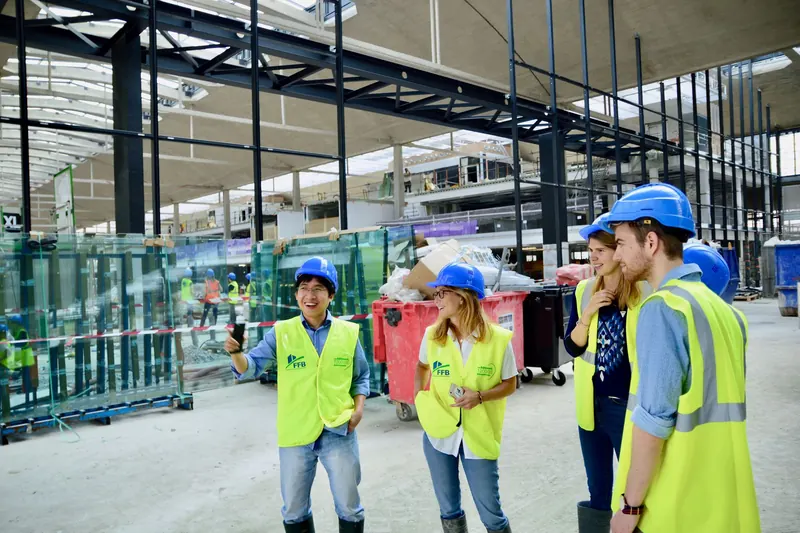
What a site visit report is for
Architects, engineers, clients' representatives, project managers, surveyors and contractors' managers all make site visits, and all of them need a record afterwards. The report does three jobs:
- It records what was there on the day: progress, conditions, who was on site.
- It turns observations into actions: each problem gets an owner and a date.
- It gives the next visit a starting point: open actions from the last report are the first thing you check.
It is not a full inspection report. A site visit report is usually shorter, written after every visit, and focused on progress and actions. If you are formally inspecting work or a site for defects or safety, use the inspection report template or the site inspection report guide instead.
The template: sections and fields
1. Project details
| Field | Example |
|---|---|
| Project name | Extension and refurbishment, 22 Mill Lane |
| Project reference | Your job number |
| Client | Who you are reporting to |
| Report number | SVR-07 (number them in sequence) |
| Prepared by | Name, role, company |
| Distribution | Who receives a copy |
2. Date, time and weather
Date, arrival and departure time, and the weather. Weather matters more than it seems: it explains why concrete was not poured, why the roof was not tested, or why a wet area looked fine.
3. Attendees
Everyone who walked round or met you, with their company and role. Note who was expected but absent.
4. Purpose of the visit
One line: routine progress visit, inspection of a specific element before it is covered up, client walk-round, response to a reported problem.
5. Progress observed
Short notes by area or work package, compared with the programme where you know it: first-floor joists fixed; noggins outstanding at stair trimmer. Note work that has started, finished or stalled since the last visit.
6. Issues and actions
The core of the report. These columns copy into a spreadsheet:
| No. | Location | Issue / observation | Action required | Owner | Due | Priority | Status |
|---|---|---|---|---|---|---|---|
| 7.1 | Area, room, gridline | What you saw | What needs doing | Name or company | Date | Low / Medium / High / Critical | Open / In progress / Fixed / Closed |
Number items by report and line (7.1 is report 7, item 1). Carried-over items keep their original number so their history is easy to follow.
7. Health and safety observations
Anything you noticed, good or bad, and what was done about it on the day: edge protection missing at first-floor slab edge, north side; site manager told at 11:05, area closed off. If something was dangerous, record who you told and when. Stopping unsafe work and telling the person in control of the site comes before writing it down.
8. Photos
Numbered to match the actions they support (7.1a, 7.1b), plus a few general progress shots taken from the same viewpoints each visit so progress is easy to compare.
9. Next visit
Date, purpose and anything that must be ready for it: drainage to be left exposed for inspection.
10. Sign-off
Name, role, signature and date.
Filled example
Project: Extension and refurbishment, 22 Mill Lane. Report SVR-07. Prepared by: project manager for the client. Distribution: client, main contractor, architect.
Date: Tuesday 17 November 2026, 10:00 to 11:30. Weather: dry, 8°C, light wind; heavy rain overnight.
Attendees: site manager (main contractor), project manager (client side). Architect sent apologies.
Purpose: routine fortnightly progress visit; check of first-floor structure before plasterboard.
Progress observed:
- Rear extension: roof membrane complete; rooflights fitted; fascias outstanding.
- First floor: new joists fixed; electrical first fix about two-thirds done; plumbing first fix not started.
- Ground floor: screed laid in kitchen area since last visit.
Issues and actions:
| No. | Location | Issue | Action | Owner | Due | Priority | Status |
|---|---|---|---|---|---|---|---|
| 5.3 | Rear extension | Rooflight upstand flashing not lapped under membrane (carried from SVR-05) | Rework flashing and confirm with photos | Roofer | 20 Nov | High | In progress |
| 7.1 | First floor, bedroom 2 | Water staining on new joists below rooflight opening after overnight rain | Find source, dry out, check moisture before boarding | Main contractor | 24 Nov | High | Open |
| 7.2 | First floor, landing | Two joist hangers missing nails at stair trimmer | Fully nail hangers per manufacturer's instructions | Carpenter | 19 Nov | High | Open |
| 7.3 | Kitchen | Screed level about 6 mm low at back door threshold | Confirm floor build-up with flooring supplier before finishes order | Main contractor | 1 Dec | Medium | Open |
| 7.4 | Front elevation | Skip partly blocking pavement | Reposition within permitted area | Site manager | 17 Nov | Medium | Fixed |
Health and safety: access ladder to the scaffold tied and in good order. Waste timber stacked at the side passage, partly blocking the route to the welfare cabin; site manager asked to clear it today.
Photos: 5.3a, 7.1a to 7.1b, 7.2a, 7.3a; progress shots P1 to P4 from the usual positions.
Next visit: 1 December, 10:00. Plasterboard on the first floor not to start until items 7.1 and 7.2 are closed.

Site visit report vs site diary vs inspection report
| Site visit report | Site diary | Inspection report | |
|---|---|---|---|
| Written by | A visitor: architect, engineer, client's representative, PM | Whoever runs the site, usually daily | An inspector, surveyor or auditor |
| How often | Each visit, often weekly or fortnightly | Every working day | At set stages or on request |
| Focus | Progress and actions | Labour, deliveries, weather, events | Defects, safety or compliance against a standard |
| Main table | Issues and actions with owners | Daily log | Numbered findings with priorities |
Tips for better site visit reports
- Start with the last report's open actions. Walk to each one first and update its status before you look for anything new.
- Write on site, not in the car park an hour later. Short notes and photos captured in the moment are more accurate than anything written up from memory.
- One issue per line, one owner per issue. An action shared between two companies tends to be done by neither.
- Use dates, not "ASAP". Agree the date with the owner while you are standing there.
- Photograph from the same spots each visit. A sequence of identical viewpoints shows progress better than any paragraph.
- Separate fact from opinion. Record what you saw; if you add a view on cause or a recommendation, label it as such.
- Send it the same day. A report that arrives a week later is reporting history.

Adapting the template to your role
- Architect or contract administrator: add a column for instructions issued on the visit, and keep comments on quality separate from instructions, since an instruction may have contract consequences.
- Structural or services engineer: add the drawing or detail reference for each observation, and record what was inspected before it was covered up.
- Client's representative or project manager: add a short programme line (on time, behind, ahead) and a list of decisions the client needs to make.
- Contractor's manager visiting several sites: keep one report per site and per visit, and add a column for the subcontractor responsible.
Common mistakes
- Narrative with no actions table. Paragraphs are hard to follow up; a table with owners and dates is not.
- Renumbering carried-over items. Keep the original number so the history stays traceable.
- No record of who was there. When an instruction is disputed later, attendance matters.
- Leaving out weather and conditions. They often explain the issue.
- Health and safety concerns buried in progress notes. Give them their own section and record what was done on the day.
- Closing items without checking them. Mark items Fixed when the owner says they are done, and Closed only once you have seen them.
Writing site visit reports on a phone
The template works in a spreadsheet or document. If you prefer to capture actions on your phone during the walk round, Snagline (iPhone and Android, not released yet) keeps each project's numbered issues with photos, location, assignee, due date and status, flags overdue items, and shares a PDF with a cover and sign-off or a CSV export. It works offline. Join the waitlist below.
Questions
What should a site visit report include?
Project details, date and time, weather, attendees, the purpose of the visit, progress observed, an issues and actions table with owners and due dates, health and safety observations, photos, the next visit date and a sign-off.
How do you write a site visit report?
Start by checking the open actions from the last report, then walk the site recording progress and new issues with photos. Give each issue an owner and a due date, and send the report the same day.
Who writes a site visit report?
Anyone visiting a site in a professional role: architects, engineers, project managers, clients' representatives, surveyors and contractors' managers.
What is the difference between a site visit report and a site inspection report?
A site visit report records progress and actions from a routine visit. A site inspection report checks the site or work against a standard, such as safety requirements or a specification, and lists findings by priority.
How often should site visit reports be written?
After every visit. The frequency of visits depends on the project and your appointment; weekly or fortnightly is common on active sites.